What is OKLCH and why you should use it
When I first dived into the topic of colors, it seemed to me that I was at least studying nuclear physics. It still does, though.
Disclaimer:
- I might have some inaccuracies in this article.
- Sometimes I used definitions provided by Google AI, because it was challenging for me to convey ideas with precise words. But mostly there are links and definitions from Wikipedia and other resources.
There are many notions and abbreviations: CIE 1931, RGB, sRGB, HSL, CMYK, Oklab, LCH, OKLCH, P3 Colors, Adobe RGB, Rec.2020...
A few years ago we all used good old HEX or HSL in CSS, and everything seemed perfectly fine.
Then, Bjorn Ottosson introduced the OKLCH model in December 2020.
In Tailwind 4, the color palette already uses OKLCH. I was curious: what the heck is oklch(42.4% 0.199 265.638)?
Here I'll tell you how I understand it, based on a few resources listed at the end.
CIE 1931
First of all, there is the CIE 1931 color space.
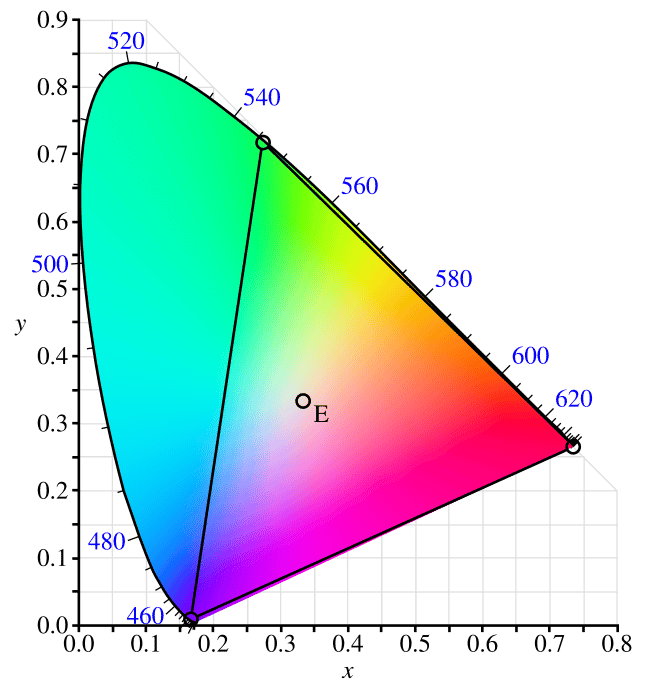
So I assume that CIE 1931 is basically a map of all colors humans can see.
To be precise, it is not fully correct. The diagram represents colors humans can perceive in terms of hue and saturation, but not their brightness.
In any case, I think about it as a "master map of colors". It might be an oversimplification, but it is enough for practical usage.
What's the difference between RGB and sRGB?
RGB is an additive color model, in which the red, green, and blue colors are added together. There is also a subtractive color model, CMYK, but that is a different story.
sRGB stands for standard RGB. It is a color space standard developed by Hewlett-Packard and Microsoft in 1996 to ensure consistent color display across different devices like computer monitors and printers.
sRGB is a subset of CIE 1931, which approximately looks like this:
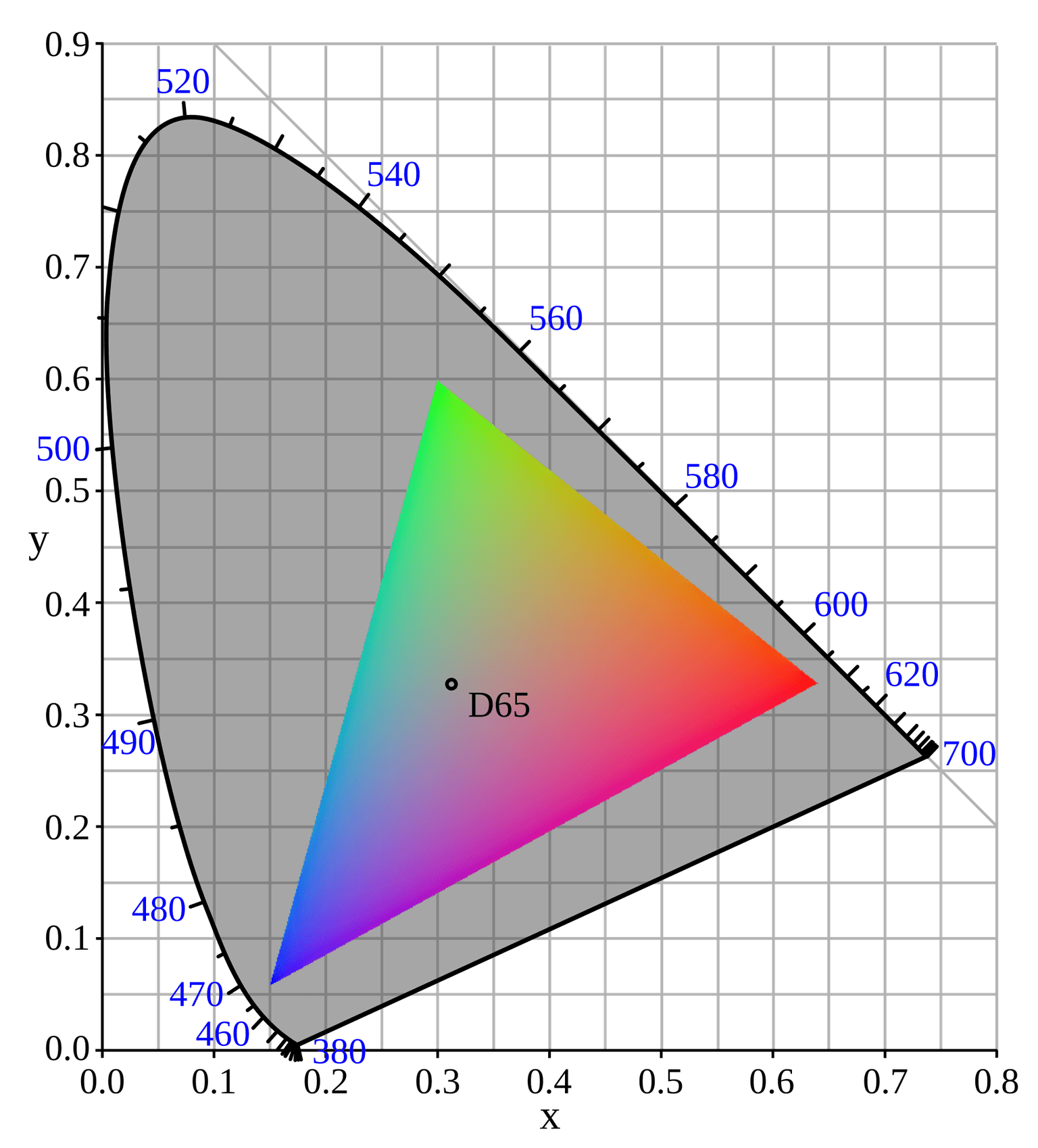
So there is a "master gamut" that has all colors and a subset, which is sRGB.
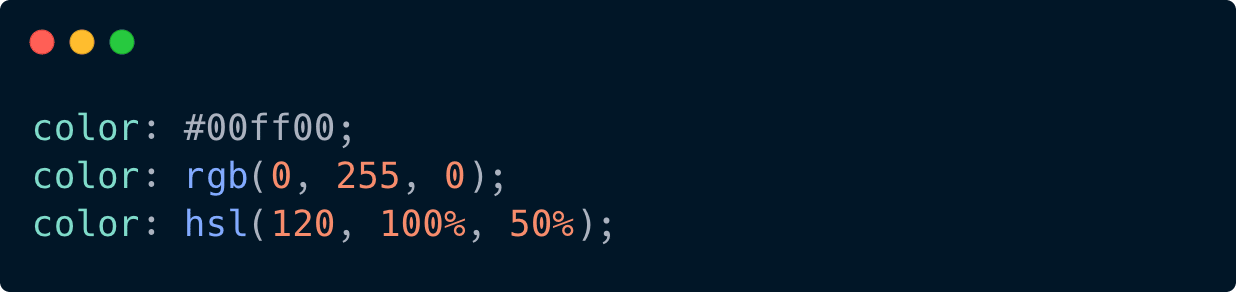
In the sRGB space we can describe green by using HEX, RGB, or HSL values.
P3 Colors
For many years sRGB was enough because displays could not show anything wider anyway.
The first monitors capable of reproducing a larger gamut appeared around 2008 (HP DreamColor with around 97% DCI-P3).
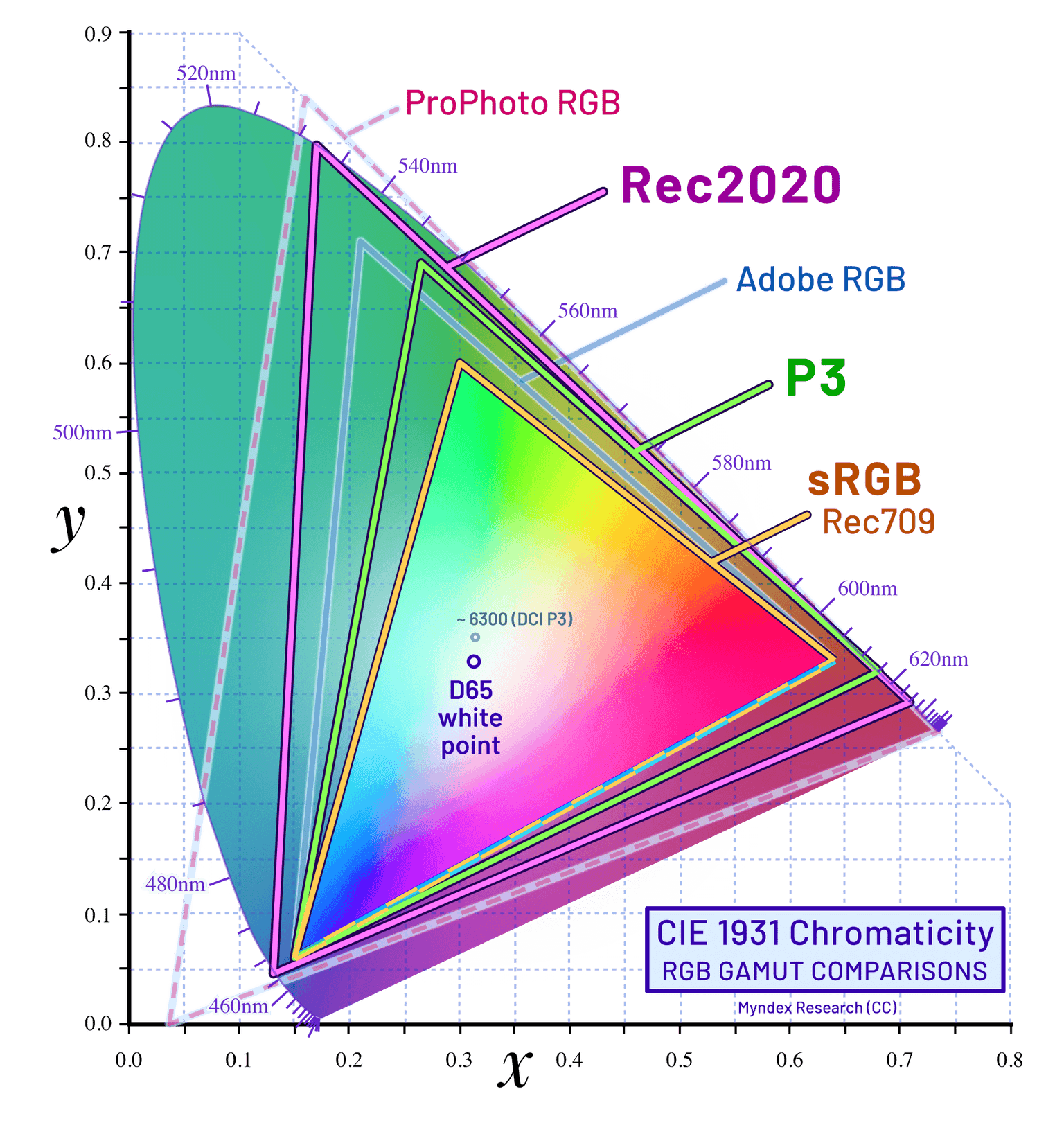
Apple later standardized a consumer-friendly version called Display P3 in 2015, and by 2016 P3 began spreading across laptops, phones, and desktop monitors.
Along with P3, there are other wide-gamut color spaces such as Adobe RGB and Rec.2020. They also cover a wider range of colors compared to sRGB but are used in different industries and for different hardware.
OKLAB and OKLCH
OKLAB is a more modern, perceptually uniform color space developed in 2020. Perceptually uniform means that colors change in a way that feels visually even and consistent for humans.
In CSS you can set it by using the oklab function.

It takes three params:
- L (Lightness): ranges from 0.0 (black) to 1.0 (white).
- a (Green-Red axis): negative values are green, positive values are red.
- b (Blue-Yellow axis): negative values are blue, positive values are yellow.
While OKLCH, as defined in MDN:
The
oklch()functional notation expresses a given color in the Oklab color space.oklch()is the cylindrical form ofoklab(), using the sameLaxis, but with polar Chroma (C) and Hue (h) coordinates.
In summary, Oklab and Oklch are two coordinate systems describing the same perceptually uniform color space, with Oklch being the more user-friendly option.

It takes three params as well:
- L (Lightness): perceived brightness of the color, from 0 to 1 (or 0% to 100%).
- C (Chroma): color intensity or vividness. Practical values usually stay below 0.5.
- H (Hue): the type of color, such as red, blue, or green. Ranges from 0deg to 360deg.
This is way more readable.
But why do we need OKLCH?
Wide gamut support, e.g. P3 Colors
In Chrome DevTools, if you set a color using oklch, you will see extra colors available.
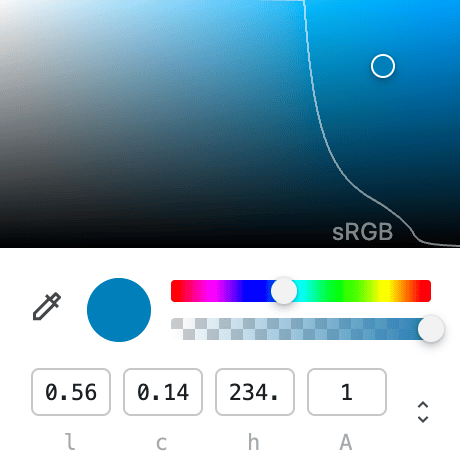
OKLCH does not increase the gamut itself, it just helps navigate it more predictably.
Better than HSL for accessibility
Look at the picture from this article.
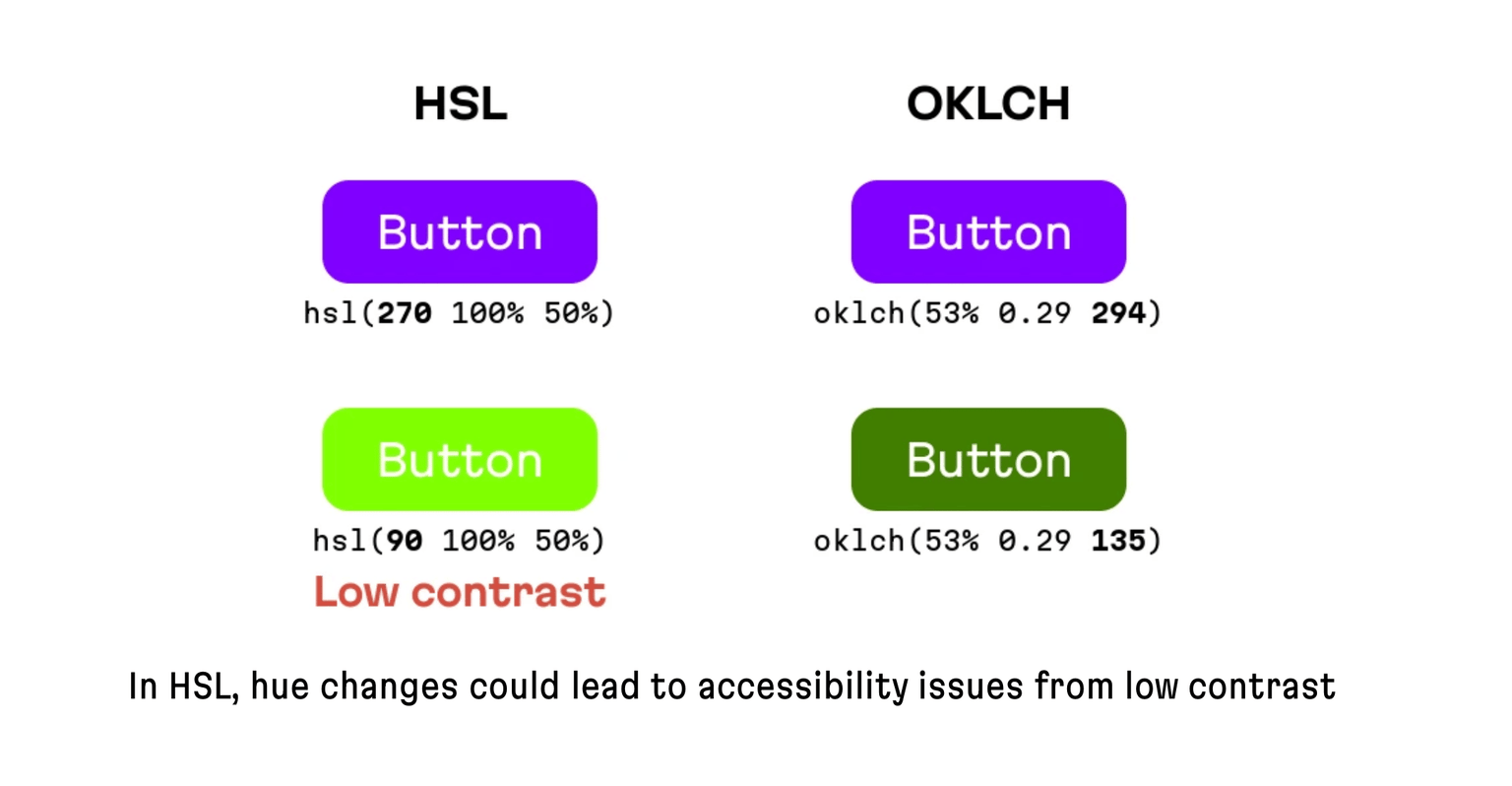
In both HSL and OKLCH only the hue value has been changed, which made the HSL version inaccessible while OKLCH remains accessible.
Must read
Conclusion
It's time to switch to oklch, use wider gamuts, and choose more vibrant yet accessible colors.